Export your whole Q&A to Excel in one click
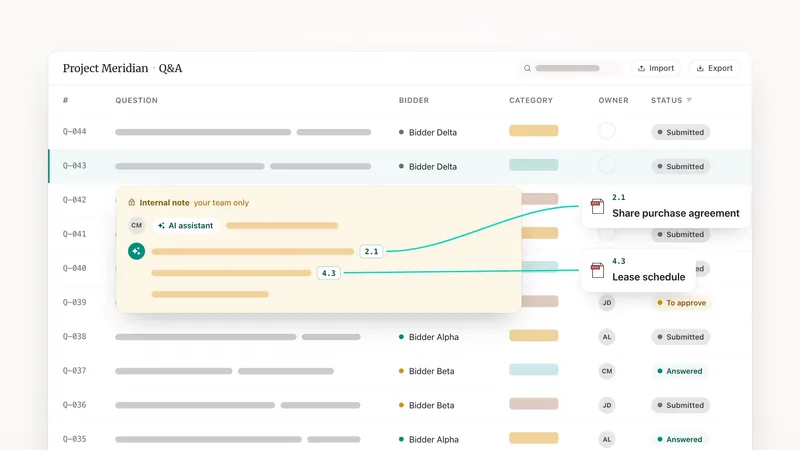
Export every Q&A stream in your data room to a single Excel file: one row per thread with question, answer, stream, status, and participants.
You can now export the entire Q&A of a data room to a single Excel file, with one row per thread capturing the question, the answer, the stream, the status, and the participants. Until now you could only export a single stream as a PDF. This gives you a structured, filterable spreadsheet of the whole exchange, ready to analyse and report on in the tools your team already uses.
A PDF is fine for reading one stream, but it will not let you sort, filter, or pivot across an entire Q&A. When the questions run into the hundreds, you need columns, not pages. That is what the full export delivers: the complete conversation, laid out row by row.
How to run it
- Open the Export dropdown in the Q&A header. Alongside the existing per-stream PDF export, you will now find a full Q&A export to Excel.
- Pick the streams to include. All are selected by default, and if the data room has a single stream it exports straight away.
- Sell-side users get an extra toggle to include internal notes and unapproved answers. Bidders see only the questions and approved answers they are entitled to.
Admins, contributors, and bidders can all run the export. Only sell-side users can add internal notes and unapproved answers to the file, so nothing leaves the sell-side team by accident.
What you get
One spreadsheet, one row per thread, columns for the question, the answer, the stream, the status, and the participants. Because it is native Excel, you can sort by status to see what is still open, filter by stream to review one bidder group, or pivot to count questions per topic.
It is also a clean record. Export the full Q&A at the end of a deal and you keep a structured artifact for audit or handover, no manual copy-paste from a stack of PDFs. See the whole Q&A workflow on the product page.