Organization admin controls for every data room
Entropia organization administrators now set feature and AI policy, data room visibility and member access for every data room, with a full audit trail.
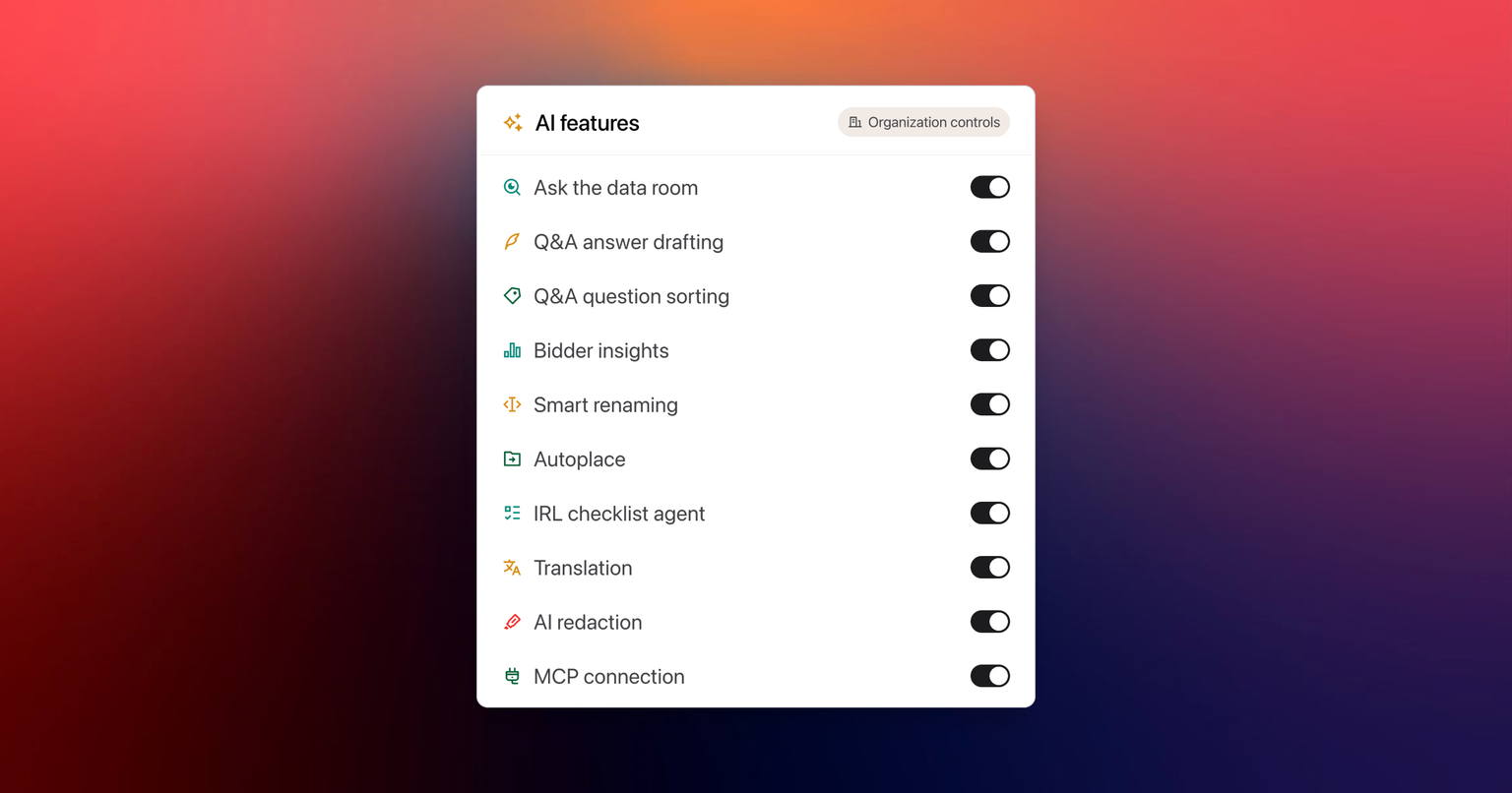
Organization administrators now hold, from one page, every decision that reaches all the company's data rooms: which features are allowed, which AI capabilities, which data rooms the organization can see, who is a member and what they can reach, with a trail of every change. These controls are part of the Enterprise plan.
Set the feature policy for every data room
The new Features page lists each feature the company allows, which plans include it, and which live data rooms use it. Switching a feature off stops new data rooms from enabling it. Data rooms already using it keep working, so a policy change never breaks a deal in progress.
Allow AI capabilities one by one
Each AI capability is allowed or refused on its own:
- AI analysis of the documentation
- AI analysis of engagement logs
- Q&A answer drafting
- Document renaming
- Automatic placement
- Checklist analysis
- Connected AI platforms
The settings page shows how many are allowed and which data rooms use each one. In a data room, a refused capability is hidden rather than failing, and the page explains that the organization controls it.
Decide which data rooms the organization can see
Whether a data room is discoverable by the rest of the organization is set from the organization's data room list. Data room settings show the current visibility for reference. A confidentiality decision with company-wide reach sits with the organization, not with each data room administrator.
Review every member from their profile
Open any member from the members table to see their role, every data room they can reach, whether that access still works, and whether they accepted the NDA of each data room. Their company and job title sit under their name. Change their role, remove them, or resend a pending invitation from the same page.
To onboard a team, paste a whole list of email addresses into the Members panel. Anyone already a member is flagged before you send.
Follow every change made to the organization
The organization audit trail records who added a member, changed a role, renamed the organization, replaced the logo, allowed an AI capability, raised a data room's storage limit, approved an access request or changed the data room code prefix, and when. It has its own entry in the organization sidebar and opens as a full-width page.
Read more about how Entropia handles security and governance.