Act inside the data room from a third-party AI platform
You could already read the data room from your AI platform. You can now act in it.
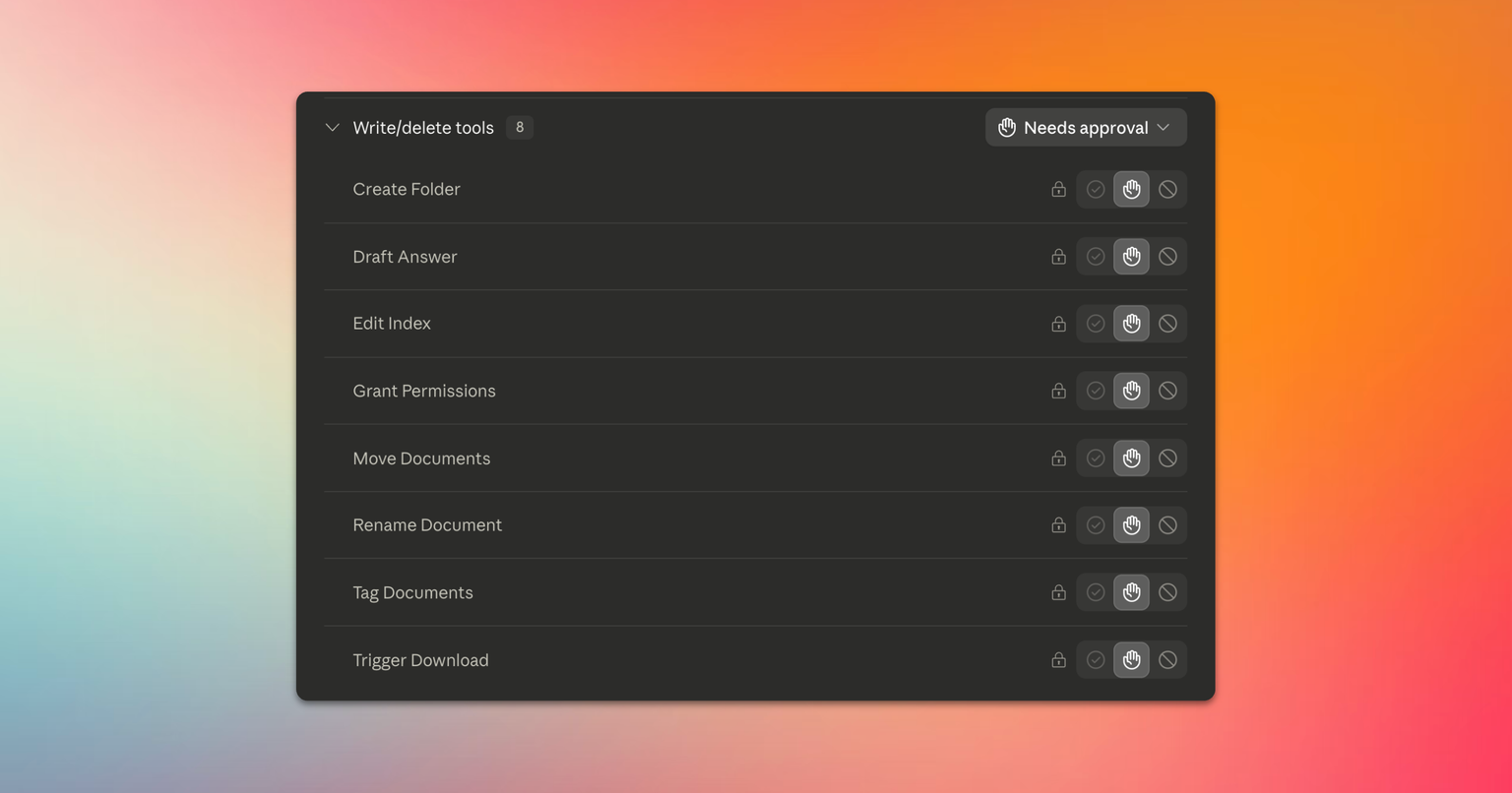
From a connected AI platform, you could already read the data room: browse the index, open documents and spreadsheets, search across all content, analyze the full documentation and get sourced answers to your questions, etc. We have added write tools to our MCP server that now make the following actions possible.
Restructure the index
Create folders, rename files and folders, move and copy documents, reorder items (their references are recalculated automatically), send items to the trash, restore them, add and remove tags. When moving or copying, you decide what happens to access rights, just as you would in the data room itself: inherit the rights of the destination folder, keep them as they are, or remove them.
Change who sees what
Ask which groups have access to a given file or folder, list everything a group can access, or compare permissions between groups. Set each group's access level on any piece of content: view, print, download, upload or manage. Setting the level to none revokes access. Rights are assigned per group, never per individual user, and when applied to a folder, the level propagates to the entire subtree by default.
Draft Q&A answers
Ask for an analysis of a bidder's question and a proposed answer. Your AI platform uses our MCP server's tools to read the question, search the documentation, analyze the documents, and propose a sourced answer, saved as a draft in the reply editor of the Entropia Q&A module. Publishing the answer remains a human action in the application: you can prepare a hundred drafts overnight, none is visible to a bidder until you approve them.
Export documents
From a selection of folders or documents, users connected through a third-party AI platform can start an export. They receive a secure, time-limited download link once it is ready. Each user's access rights are of course enforced, and every exported file is audited.
Query the audit trail
Ask questions about logins, group activity, Q&A question themes, permission and settings changes, and get an answer computed over the entire event log.
Where write access stops
Write access lets you work on the content of the data room: create folders, move, copy, rename, reorder, tag, and draft Q&A answers. It also lets you adjust what an existing group can see, a sensitive action subject to confirmation.
Four things remain off-limits. Uploading documents: a folder created by the AI arrives empty, and can only be filled with files already in the data room. Publishing a Q&A answer: the draft stays invisible to bidders until a human has reviewed and sent it. Changing who participates: no group creation, no user invitation. And permanently deleting anything: the trash is the limit.
This access is enabled as a distinct permission, on top of the per-group AI access control already in place. Every action runs with the rights of the person who authorized the connection, never beyond, and is recorded under their name in the activity log.
Write access runs through the Entropia MCP server: it therefore works from any connected platform.