Product Update - January 2026
Q&A module, automatic file placement in Sandbox, PDF-Only mode... major releases last month!
Welcome to this monthly product update. This month we released a full-featured yet simple-to-use Q&A module that centralizes all buyer exchanges. We boosted our data room search, now indexing the content of Excel files alongside all other formats. We launched automatic file placement in the Sandbox, so uploaded documents are suggested a location in your index. And we shipped PDF-Only mode, letting admins convert their entire data room to PDF in one click. Here are the highlights.
WHAT'S NEW
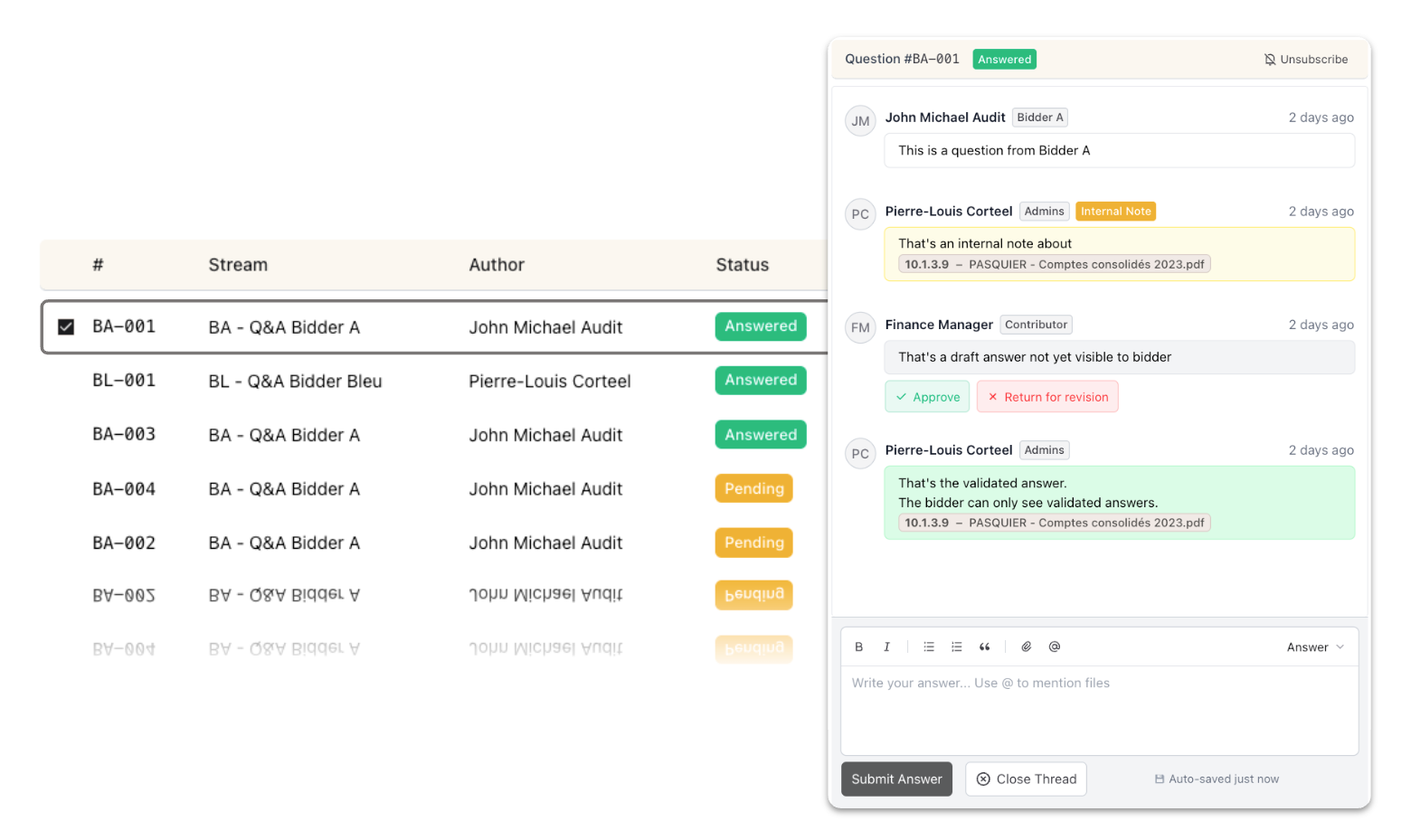
Q&A: no more email threads
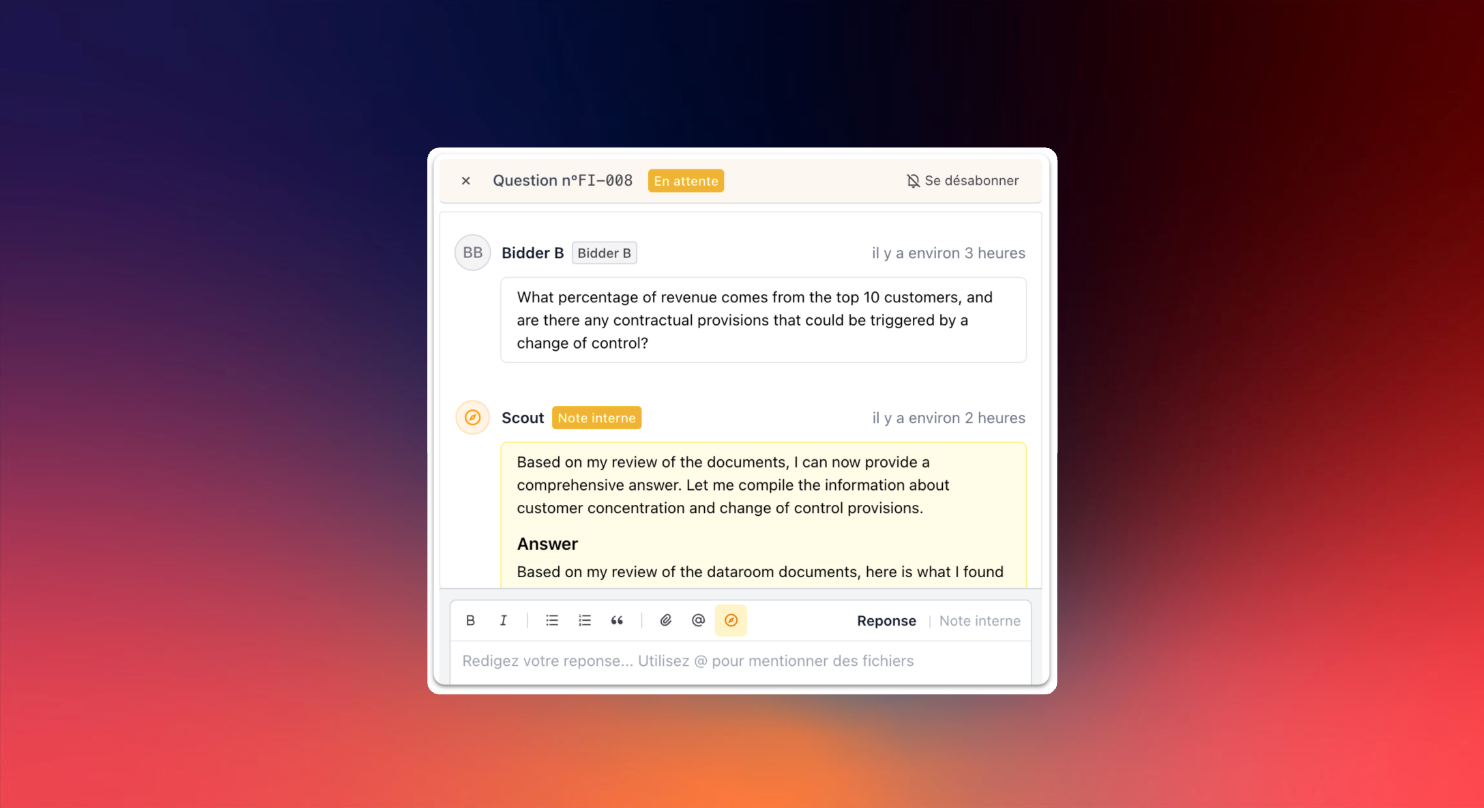
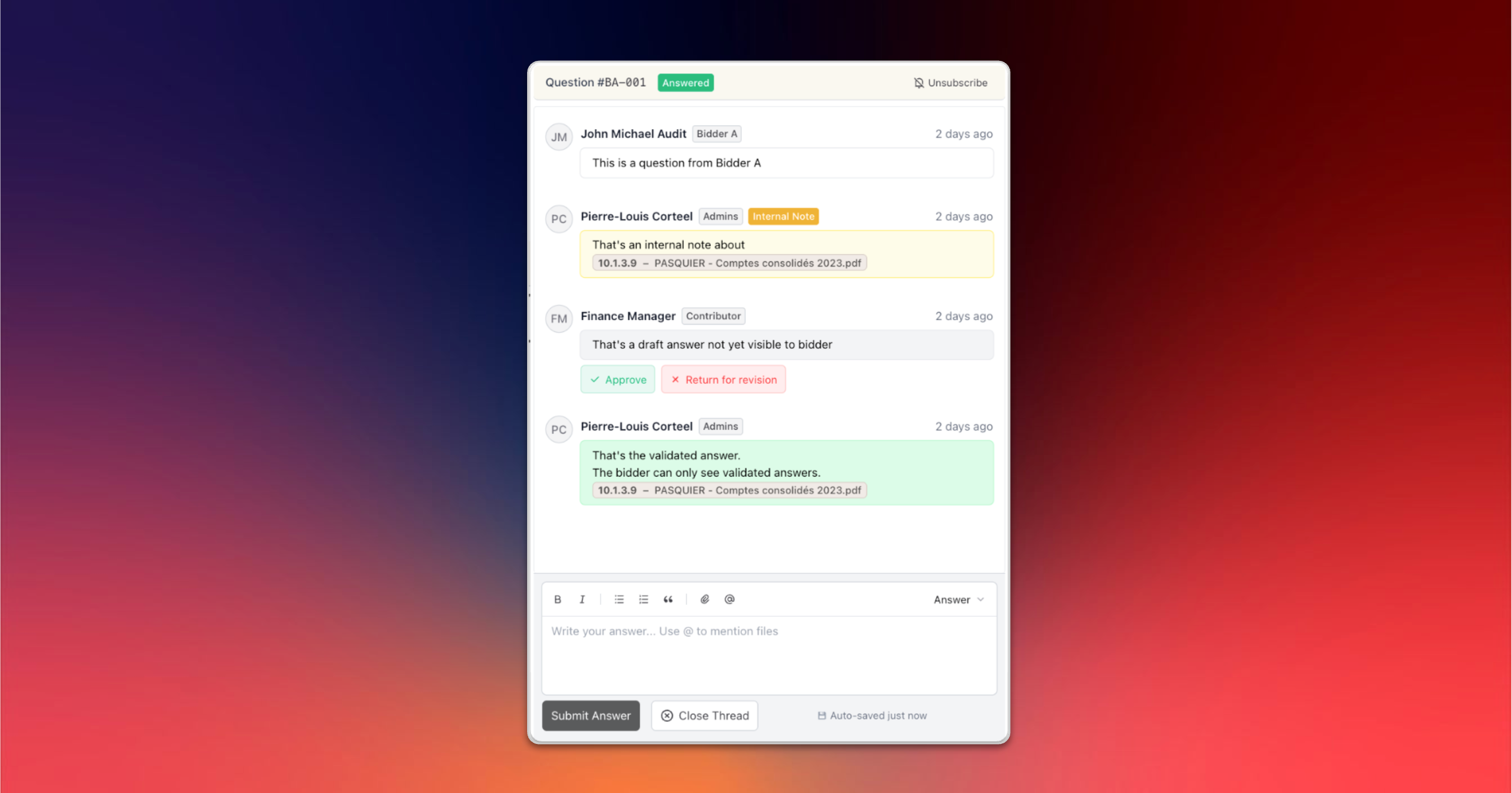
Our new Q&A module centralizes all exchanges with buyers. Bidders ask their questions directly in the data room and can attach @documents.
On the sell-side, you can collaborate before publishing. Create internal notes, tag @colleagues to validate a sensitive answer, without bidders seeing your exchanges. When you're ready, you decide which version becomes visible.
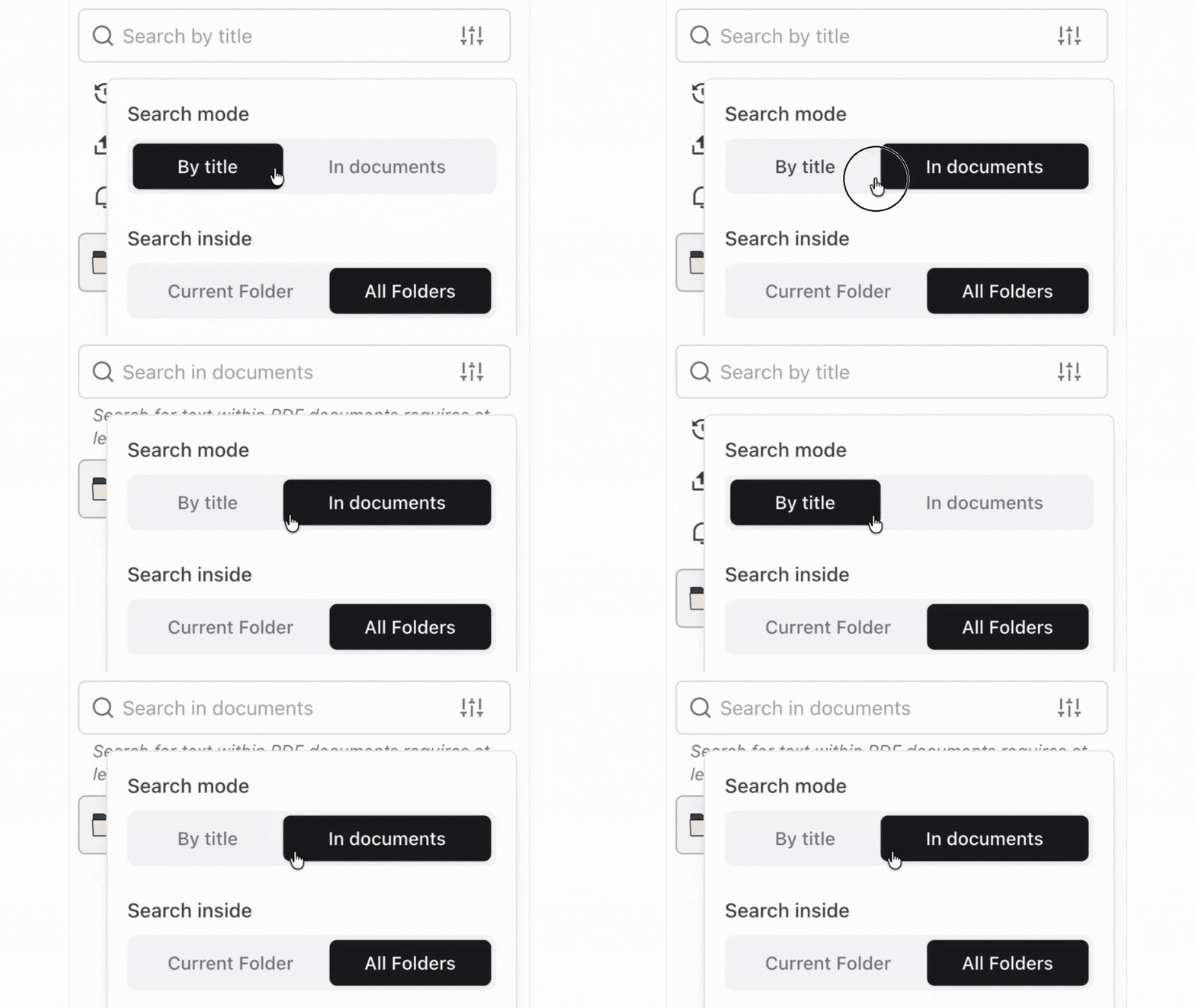
Search across the content of all documents
Search now indexes the content of Excel files, on top of all other formats (including scanned documents).
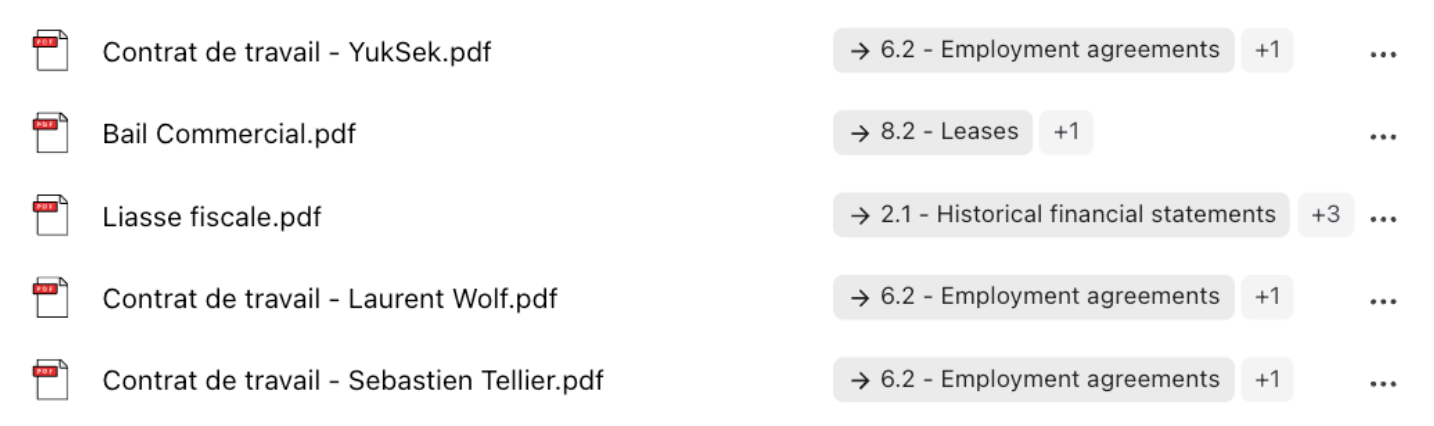
Sandbox with automatic file placement
Files uploaded to the Sandbox receive automatic placement suggestions in the index folders. The system analyzes your documents and suggests where to classify them. You validate or adjust.
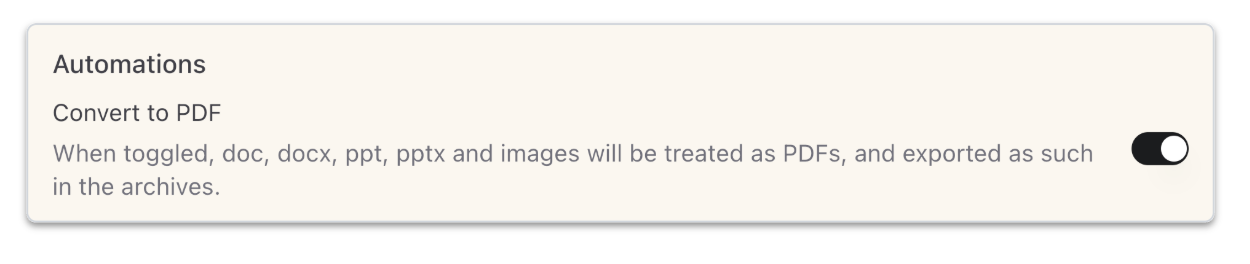
PDF-Only mode: convert your entire data room in one click
Admins can now force all convertible files (Word, PowerPoint, images) to display as PDF automatically. One click. All applicable files, existing and future, are converted to PDF. Admins retain access to the originals. The action is reversible.
IMPROVEMENTS
- User mentions in Q&A: Mention your colleagues with @username in Q&A threads. They receive an instant notification and an email.
- Permission exception indicators: Warnings appear on folders containing items with different permissions.
- Index export options: Choose between "Print Index" (visual) or "Work Index" (for bulk operations in Excel before re-import).
- Bulk Tag Management: Select multiple files and add or remove tags in a single action via the new bulk tag editor.
- Infinite scroll activity logs: The activity logs page now loads entries progressively.
- Improved download progress indicator: Archive exports show a native browser progress bar.
- Access Rights: New views to see permissions organized by document/folder directly on folders and documents.
- Refined mobile design: Optimizations to the Entropia experience on smartphone.